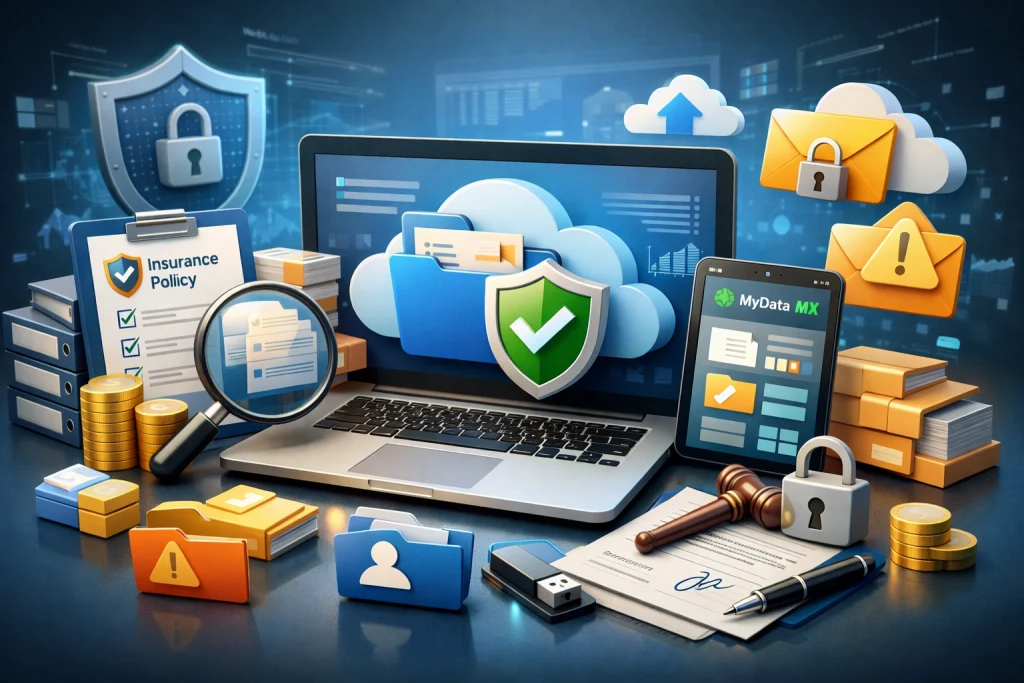



Dropbox and My MX Data can both protect and share business files, but they are designed around different working habits. Dropbox is a broad cloud workspace for storage, synchronisation, recovery and continued collaboration. My MX Data, referred to as MX from this point, is a secure B2B file-exchange platform built around named recipients, controlled delivery and a clear record of what happened during the exchange.
The better choice depends less on the brand name and more on the job. Files that need to remain available to a team may fit naturally within Dropbox. Sensitive files crossing organisational boundaries may need the narrower, exchange-led controls provided by MX.
A broad cloud workspace
- Persistent file storage and synchronisation.
- Shared folders, links and collaboration tools.
- Version history, recovery and team administration.
A controlled B2B exchange
- Named recipients rather than unrestricted public links.
- Detailed activity records around each transaction.
- Large-file exchange without a fixed platform size limit.
Are you maintaining a workspace or controlling a handoff?
Dropbox keeps files in a persistent cloud environment. Teams can organise folders, synchronise material across devices, retrieve earlier versions and continue working with the same documents over time. This makes it useful for departments that need routine access to common content rather than a single, tightly bounded delivery.
MX concentrates more closely on the handoff. A sender selects the intended recipient, applies access conditions and retains evidence around the transaction. MX Conversations, recipient groups, Linked Transactions and MX Distribute can support repeat or multi-stage exchanges, but the platform is primarily designed for controlled movement between organisations rather than permanent cloud storage.
Keep working
Dropbox suits content that needs to remain accessible, synchronised and editable within a continuing team workspace.
Send with conditions
MX suits a defined delivery where the intended recipient, access window and activity record matter.
Use both where useful
A business can retain Dropbox internally and use MX for selected customer, supplier or partner exchanges.
The sharing options may be similar, but the default workflow is different
Dropbox supports several ways to share. Teams can invite people directly, create shared links and, depending on the plan and configuration, apply passwords, expiry dates or download restrictions. Administrators can also establish policies around external sharing. This flexibility is useful because not every file needs the same treatment.
It also places weight on configuration and sender judgement. An organisation must decide when a link is appropriate, which settings are mandatory and whether those rules are being followed consistently. A public brochure and a confidential due-diligence pack should not travel through the same casual process.
MX starts from a more restrictive exchange model. Named-recipient access is central to the transaction, and the process does not rely on unrestricted public links. For businesses that routinely handle intellectual property, financial information, legal files, technical data or regulated records, that narrower path can make the approved behaviour easier to repeat.
Review the default, not only the feature listA platform may offer strong controls without applying them to every exchange. The practical question is whether your required security settings are routine, optional or dependent on each sender remembering the policy.
Encryption is important, but identity and evidence complete the picture
Dropbox states that files at rest are encrypted using 256-bit AES and that data moving between its applications and servers is protected using SSL or TLS. Its business services also include identity, administration and security controls that vary by plan. These are credible protections for a general cloud workspace.
MX also uses AES-256 as part of its security model, alongside multi-factor authentication, named-user access, expiry settings, permissions and audit records. Relevant Enterprise configurations can add ASR, which stands for Anonymise, Shard and Restore.
ASR transforms the data, separates it into protected shards and restores the information through the authorised exchange process. It is separate from standard encryption and should be considered an additional layer rather than a guarantee that every possible risk has been removed.
Four questions that expose the real security difference
- Identity: How does the recipient prove who they are?
- Availability: How long will the file remain accessible?
- Activity: Can an administrator see whether it was accessed or downloaded?
- Evidence: Can the organisation produce a usable record later?
Storage capacity and transfer capacity answer different questions
A large cloud-storage allowance does not necessarily mean that every delivery route accepts the same file size. Dropbox stores very large individual files through supported applications, while Dropbox Transfer and related workflows apply plan-specific limits and retention rules. Those allowances are generous for many organisations, but they still need to be checked against the selected service and plan.
MX advertises no fixed platform file-size limit on transactions. This is useful for engineering assemblies, CAD files, media packages, software releases, technical datasets and large document collections. The transfer will still be influenced by broadband speed, local storage and the recipient's connection, but the sender does not have to divide a package simply because it crosses a product ceiling.
The file remains active
Choose a cloud workspace when people need to reopen, synchronise, restore and continue working with the content.
The package needs a governed route
Choose an exchange-led platform when the recipient must be known, delivery must be evidenced and file size must not dictate a workaround.
Can an administrator explain what happened without rebuilding the story?
Dropbox business plans provide administrative reporting and file-event visibility, with broader governance capabilities available through particular tiers and add-ons. This can give IT teams useful oversight across a general collaboration environment.
MX organises the evidence around the exchange itself. Records can connect the upload, intended recipient, access, downloads, comments and transaction history. That structure may be easier to follow when a manager, customer or auditor asks about one particular handoff rather than general activity across a large shared workspace.
Neither platform automatically makes an organisation compliant with UK GDPR, ISO 27001 or another framework. Technology can provide access controls, activity evidence and administrative oversight. Lawful processing, retention, staff behaviour, contracts, endpoint security and the wider governance programme remain the organisation's responsibility.
A four-step chooser for each type of file
Classify the file
Identify whether it contains public material, routine internal content, personal data, confidential records or valuable intellectual property.
Define the audience
Decide whether access belongs to a team, a flexible group, a named external recipient or a controlled distribution list.
Set the conditions
Apply the necessary expiry, download, authentication, retention and regional requirements before sending.
Check the evidence
Confirm that an administrator can later show who received the file, what they did and whether access remains open.
Choose Dropbox
Use it where shared folders, automatic synchronisation, continued collaboration, file recovery and broad team access provide the greatest value.
Choose MX
Use it where sensitive files cross organisational boundaries and each exchange needs named access, controlled availability and transaction-level evidence.
Combine the platforms
Keep Dropbox as the internal content workspace and direct higher-risk external handoffs through MX when the workflow calls for tighter control.
Final assessmentDropbox is the broader cloud workspace. MX is the more specialised B2B exchange platform. Files that need to remain active and available may belong in Dropbox. Files that need to reach a particular external person under clear conditions may be better suited to MX. For organisations handling both situations, a two-platform approach may provide the clearest division of responsibility.